The cockpit runs on http://127.0.0.1:8787. It is not a hosted dashboard and it is not meant to replace your inbox. Its job is narrower: prove that intake, routing, fallbacks and operator feedback are behaving as expected.
The screenshots on this page are taken from a running local instance. They are included because product claims convert better when a buyer can see the operator surface instead of reading a feature list.
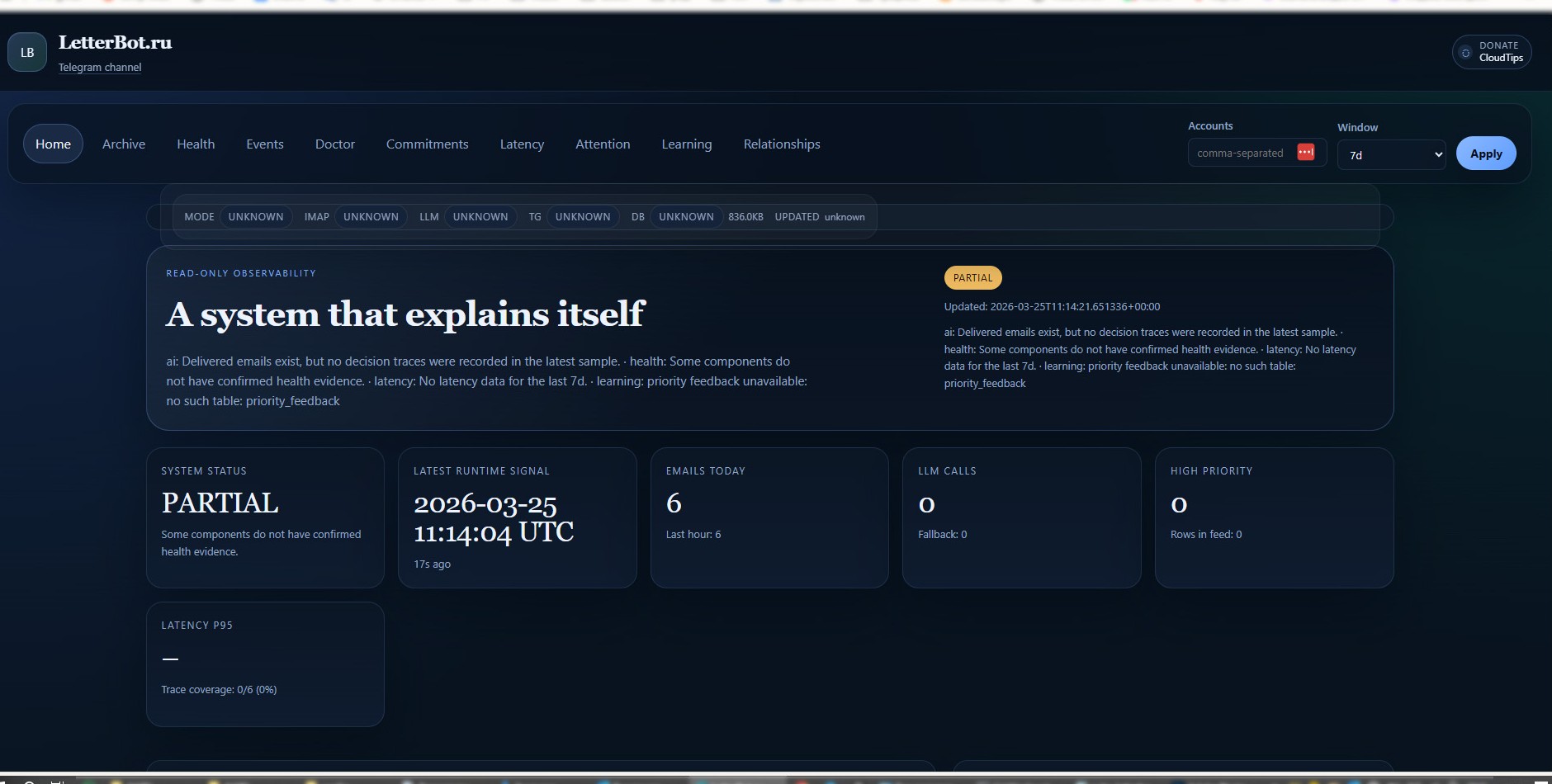
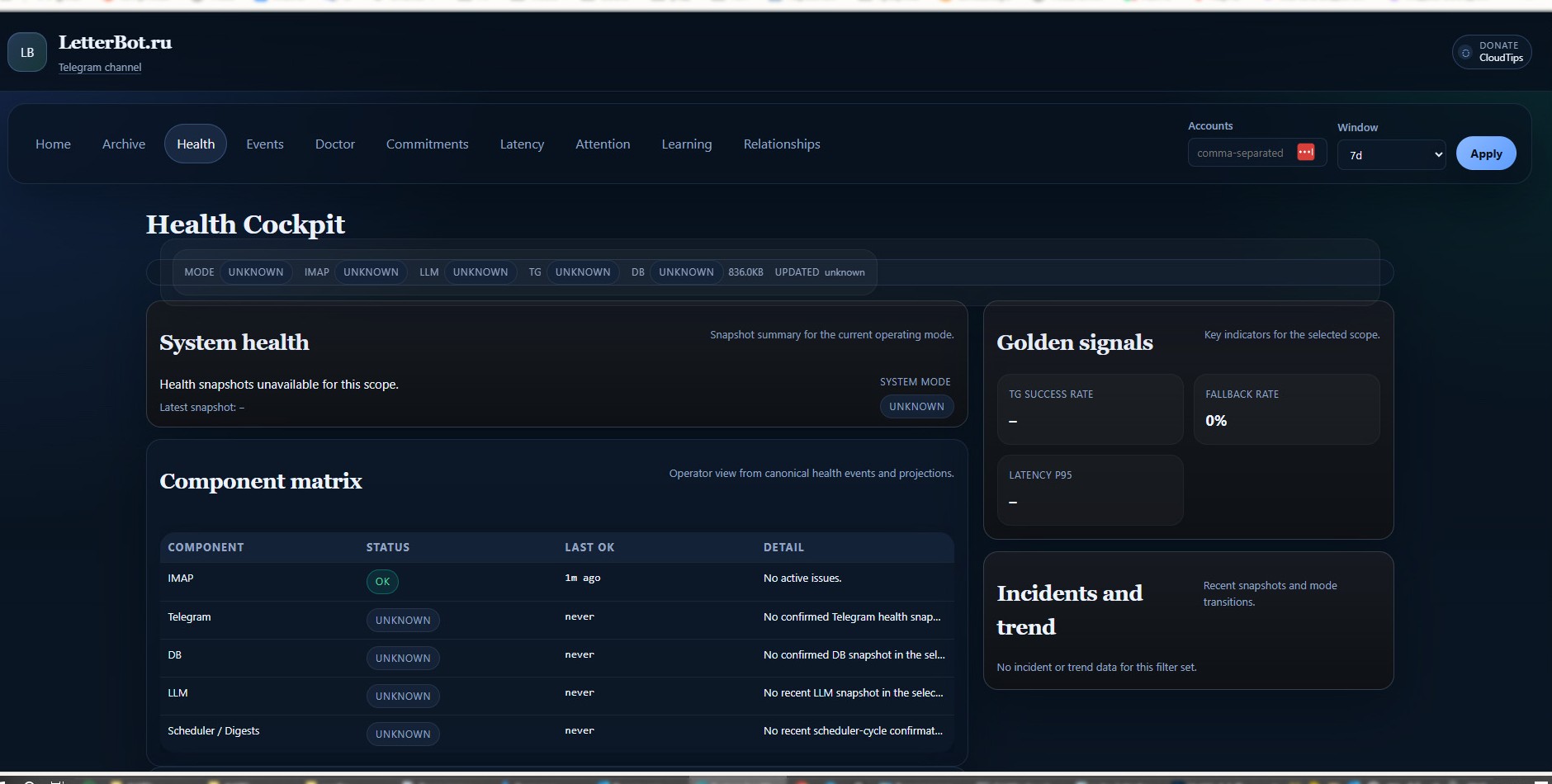
What the cockpit is for
- Confirm that IMAP polling and Telegram delivery are alive
- See whether optional AI is unavailable and whether deterministic fallback is active
- Inspect component health without exposing anything to the internet
- Audit what the system did before changing config or opening an issue
Why this matters
A self-hosted workflow is only trustworthy if the operator can verify its behavior. The cockpit is the missing layer between “it should work” and “I have evidence that it worked”. It turns a background agent into an inspectable system.
localhostNo external dashboard dependency
read-onlyOperator visibility without mailbox mutation
healthComponent matrix and incident context
eventsDecision traces and timeline visibility
Best next step
If the cockpit is the part that makes the product credible for you, install the release and inspect the local screens first. That will tell you more in three minutes than a long marketing page can.