Home cockpit
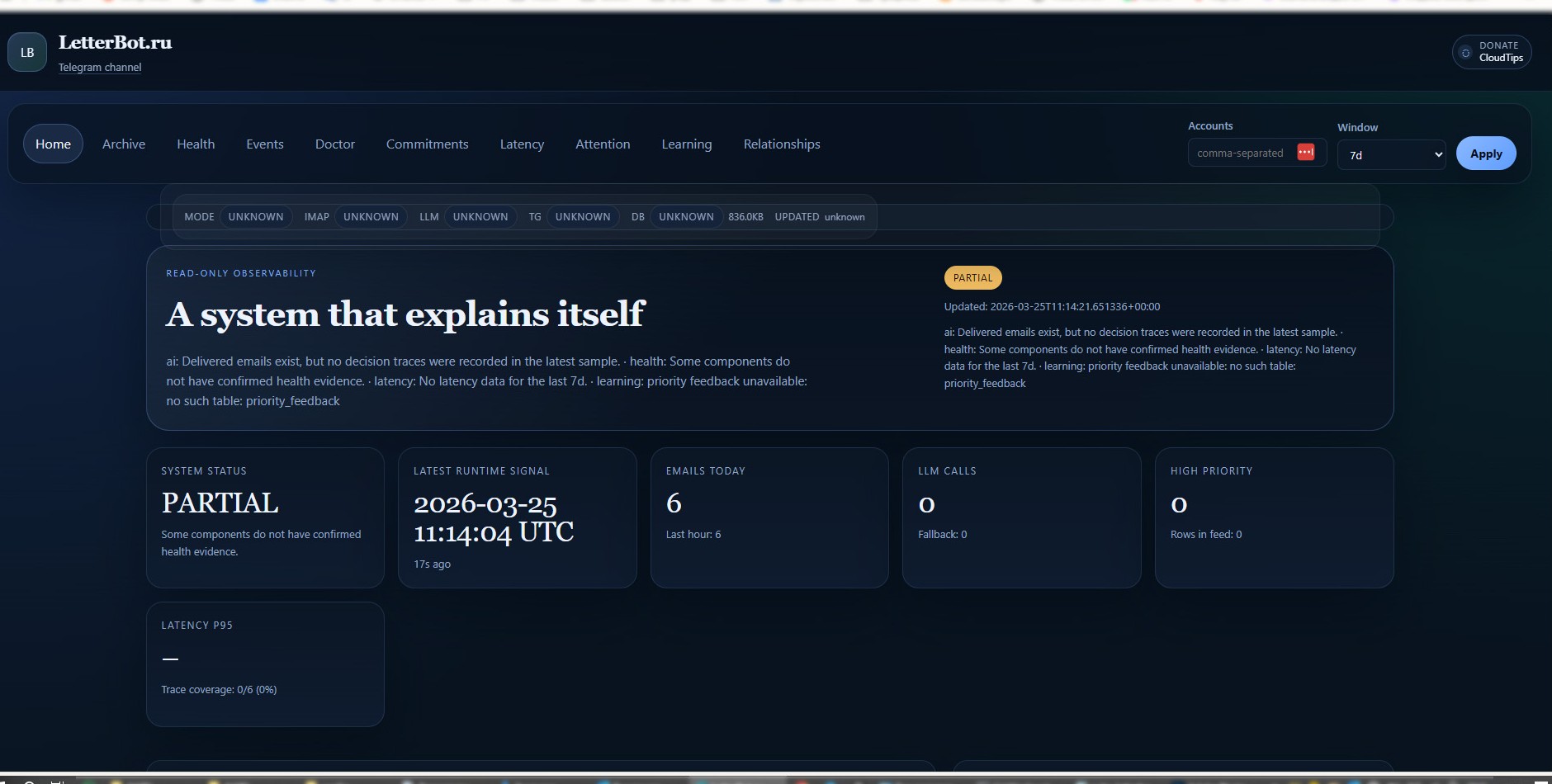
A single operator screen with runtime status, email volume, high-priority flow and fallback visibility. This is where you verify that the system is alive before trusting it with your inbox.
self-hosted · deterministic-first · telegram-first
Letterbot connects to your IMAP inboxes, classifies mail locally, and sends only relevant messages to Telegram with priority, summary, and suggested next action.
Deterministic by default. Optional AI enhancement for harder messages. No vendor cloud. No subscription. Read-only cockpit on localhost:8787.
SoftMacro LLC — Invoice #2024-047
Action: pay by Apr 15 · 87,500 ₽
📎 invoice_april.xlsx
Jimmy Irish — Contract for review
Action: sign and return by Friday
3 invoices · 1 overdue obligation · 2 replies pending
Mon 08:00definition
Letterbot is a free, open-source, self-hosted email triage assistant for Windows. It connects to IMAP mailboxes in read-only mode, classifies each incoming email using a deterministic rules engine, and delivers one priority-tagged Telegram notification per email with a suggested action. All processing runs on the user's own hardware; data is stored in a local SQLite database with no vendor cloud involved.
The average knowledge worker spends 28–40 minutes per day reading email — not replying, just reading. Letterbot reduces that to a single Telegram tap per important message.
A five-stage deterministic pipeline extracts facts (amounts, dates, document numbers), scores priority across 20+ email types (INVOICE, CONTRACT, SECURITY_ALERT, DEADLINE…), and attaches explainable reason codes (e.g. PRIO_INVOICE, PRIO_DEADLINE_1D) to every decision.
No. The core triage loop is fully deterministic and works offline. Optional GigaChat (Sber) or Cloudflare Workers AI can improve summaries for ambiguous messages, but Letterbot falls back to deterministic mode automatically when AI is unavailable.
Letterbot is an independent open-source project maintained by a solo developer. The full source (74,000 lines of Python, 1,541 tests) is public at github.com/SergioTheFirst/letterbot under AGPL-3.0.
proof, not just promises
The screenshots below are from a running Letterbot instance on 127.0.0.1:8787. They show the operator view that verifies health, message flow, fallbacks and auditability without exposing anything to the public internet.
A single operator screen with runtime status, email volume, high-priority flow and fallback visibility. This is where you verify that the system is alive before trusting it with your inbox.
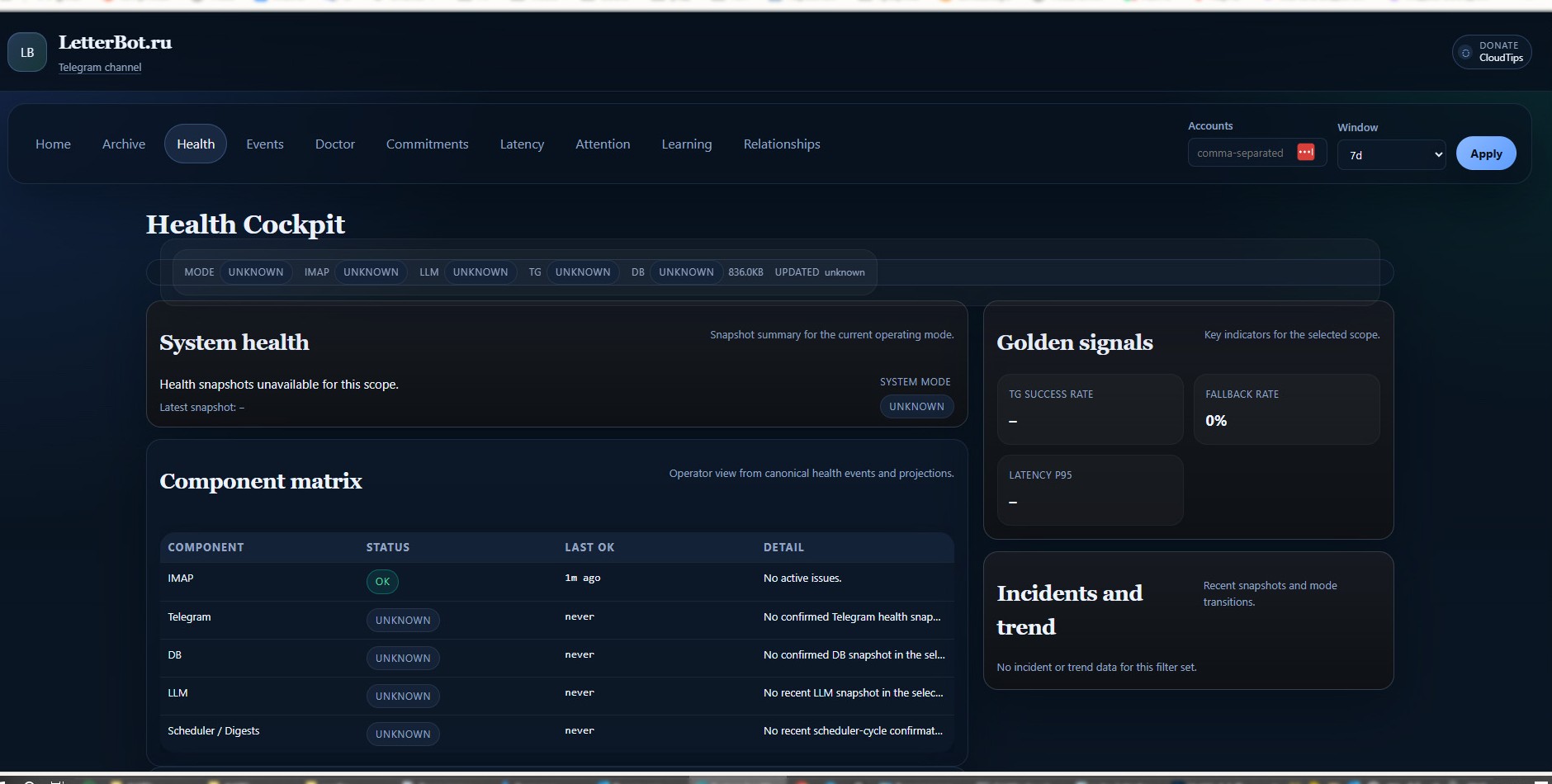
Component matrix, delivery signals and recent incidents in one place. You can quickly tell whether IMAP, database, Telegram or optional AI are healthy enough to keep routing messages.
who it fits best
deterministic first
The core workflow is deterministic: IMAP intake, feature extraction, scoring, Telegram notification, and cockpit visibility. Optional AI can improve summaries for complex messages, but the core triage loop keeps running even when external AI is disabled or unavailable.
what you actually get
Connect multiple inboxes, keep access read-only, and route each account into the right Telegram destination.
Read PDFs, spreadsheets and documents locally to surface amounts, dates and obligations with better context.
One email becomes one action-oriented message with priority controls, snooze and context restoration.
Audit why something became urgent, important or low instead of trusting a black box.
Use the cockpit to inspect health, incidents, latency and event history on your own machine.
English and Russian support across notifications, digests and operator flows.
open source proof points
quick answers
No — Letterbot works fully without paid AI. The deterministic pipeline classifies email, extracts facts, and notifies via Telegram without any external model. GigaChat (free, by Sber) and Cloudflare Workers AI (free tier) are optional enhancements that can be enabled explicitly; they are never required.
Nowhere external. Letterbot reads email via IMAP directly from your mail server, processes everything on your local machine, and stores only metadata (sender, subject, date, priority score) in a local SQLite file. There are no Letterbot servers. Email text and attachments are never stored or transmitted.
Yes. One Letterbot instance supports an unlimited number of IMAP accounts, each routed to a different Telegram chat or group. This is the primary use case for teams and freelancers who manage separate work, personal, and alert inboxes.
Yes, strictly read-only. Letterbot is designed to classify and notify, not to move, delete, or send email. This constraint is intentional: notification and inbox mutation are separate concerns with very different trust requirements.
Yes. Letterbot is licensed under AGPL-3.0 — free to use, inspect, and modify with no freemium tier, no Pro plan, and no subscription. Development is sustained by voluntary donations via Boosty and CloudTips.
Very little. Letterbot runs on Windows 10/11 and uses 40–120 MB of RAM. It has been tested on an Intel Celeron N4020 with 3 GB RAM — an old budget laptop is enough to run it as a dedicated email assistant.
Any provider with IMAP access: Gmail, Yandex Mail, Mail.ru, Outlook/Microsoft 365, and any custom or self-hosted mail server. All connections use SSL/TLS on port 993.
A five-stage deterministic pipeline processes each email: body segmentation, fact extraction (amounts, dates, document numbers), validation, priority scoring across 20+ mail types, and a consistency check. Each decision gets an auditable reason code (e.g. PRIO_INVOICE, PRIO_DEADLINE_1D) and a confidence score between 0.0 and 1.0.
No investors. No ads. No forced cloud.
Letterbot stays free. If it becomes part of your workflow, a donation helps fund documentation, packaging, fixes and the boring maintenance that keeps a self-hosted project alive.